

A social media service with which users interact with each other by watching, posting, and sharing contents of all digital media types, such as blogs, photos, audio, and videos. Now imeem has more than 25 million visitors per month with over 65,000 new users every day.
The key feature of imeem music is that the contents of imeem music playlist, collected from multiple sources, could also be published as comments, tags and ratings. And the playlists consists of videos, music and images. This way, you can enjoy imeem music with your friends and also share imeem music with others. Do you want to free download imeem music, rip imeem music off imeem playlist? Imeem music downloader can help you.
IMEEM has been there for almost seven years, but I never tried them before. I often get songs just by googling them from the net, unfortunately, there is rare moment where I can find a song even though I have been looking for hard enough. Recently I find IMEEM - a service where users interact with each other by watching, posting, and sharing content of all digital media types, including blogs, photos, audio, and video. Now I can freely download IMEEM music and with Audio Recorder's help I can save IMEEM to MP3.
Audio Recorder is a professional IMEEM downloader which can easily download IMEEM music and save them to different kinds of audio formats such as MP3, WMA, WAV, OGG, APE, etc. What's more, you can schedule your recording task by setting start and stop times.

An detailed User Guide will tell you how to download imeem music with imeem music downloader.
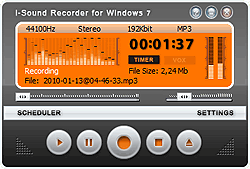
- Install and launch Audio Recorder.
- Click the "Start Record" and start to download imeem music.
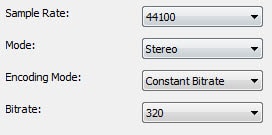
Then click "Setting" to set output format.
Before downloading imeem music , you can set the output music format as MP3, WMA, WAV, OGG, APE etc. The default format is MP3.(Only for the users who don't like mp3 format, or have ignored this step.
Then open imeem.com and login in your account.
In your imeem music playlist or other friends playlist, you can enjoy any song you like.
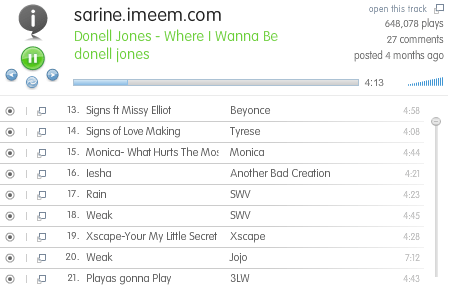
When Imeem music is playing, imeem music downloader will detect the music signal and download imeem music in the background automatically.
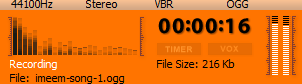
After all steps have finished, click "Records list" to check the downloaded Imeem music.
Tips to download imeem music :
1. Automatically Split imeem music one by one.
When you recording imeem
music, this imeem downloader can automatically split all music melody one by
one. For instance, record imeem music for an hour, and you can get nearly 15 MP3
files. Of course, you can manually cut audio files into subsections as you like.
What's more, the embedded timer can free you away when it works on preset
recording duration.
2. Edit ID 3 information.
After finishing downloading imeem music,
you can edit music's ID3 information of "title","artist", and "album".
You can customize the output audio effect by adjusting the sample rate, bit rate,
and sound channels.
Therefore, with Audio Recorder and its powerful functions, you will be free to download IMEEM music and then save IMEEM MP3. This Audio Recorder is created for you to enjoy IMEEM. Don't be just waiting, try now. Sure you will like the stuff to download IMEEM music and save IMEEM songs, enjoy them freely.